When a dispatcher changes a job's status to "Dispatched" a couple of things happen right away.
If you have set the technician up for SMS or email notifications, he or she will receive a message from your previously configured business email address that looks something like this: 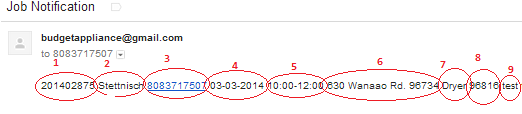
The photo above is a text message that was sent to the tech's phone. It includes:
1: job number
2: customer last name
3: customer phone number
4: appointment date
5: appointment time
6: address + zip code
7: Job Type
8: Job Category
9: Job Description
If your customer provided an email address, he or she will receive an email that looks something like this: 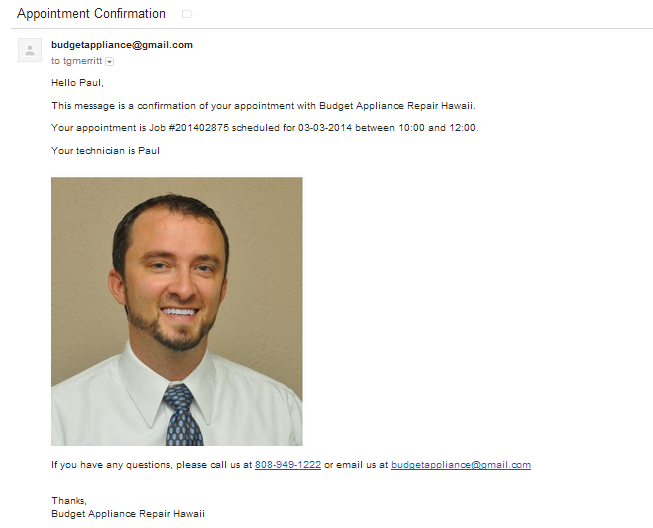
The content of your job notifications can be customized through the general settings portal, under templates. 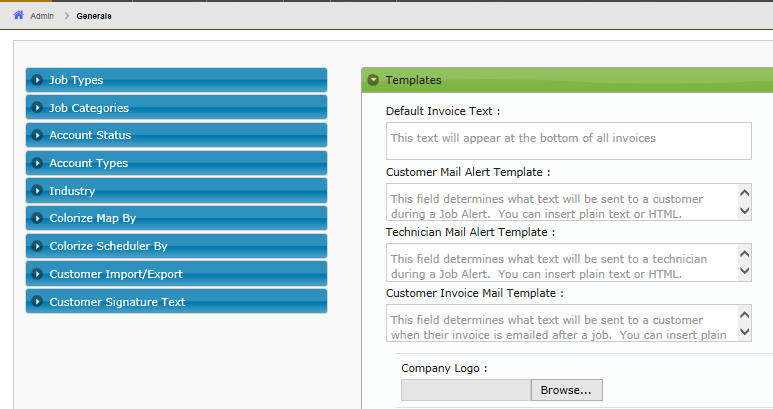
0 Comments