Once activated (make request to sales@fieldharmony.com) you will be able to enter you Service Bench crediatials on the options / generals page. You will need to enter you the same three values that you enter to log into Service Bench:
- Service Bench ID
- Service Bench Username
- Service Bench Password
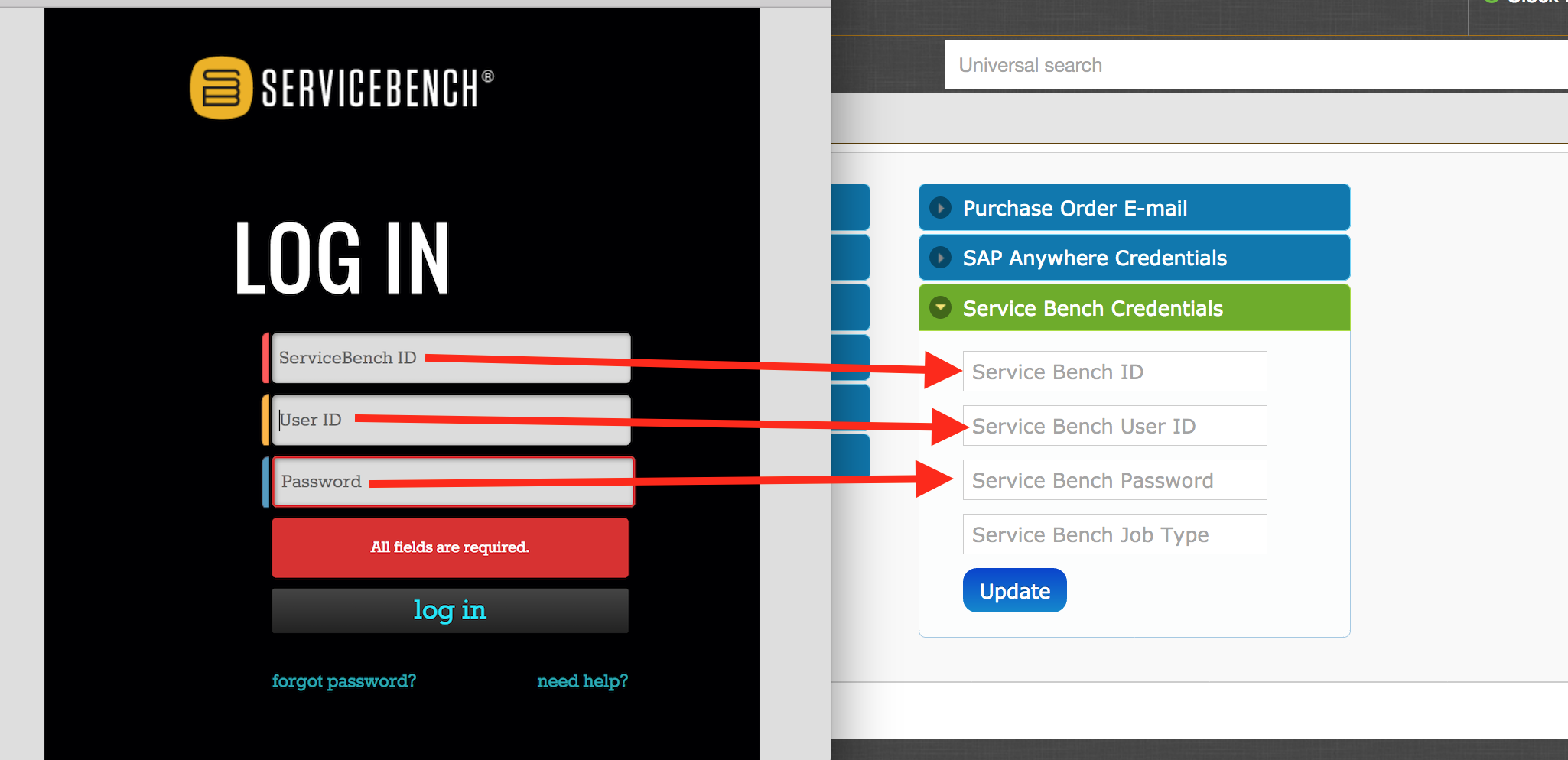
Additionally you will have to create a Field Harmony 'Job Type' specifically for Service Bench jobs.
The 'Service Bench Job Type' must match exactly to a regular Field Harmony 'Job Type'.
A very easy job type would be 'Service Bench'. Enter this in both fields (see screenshot).

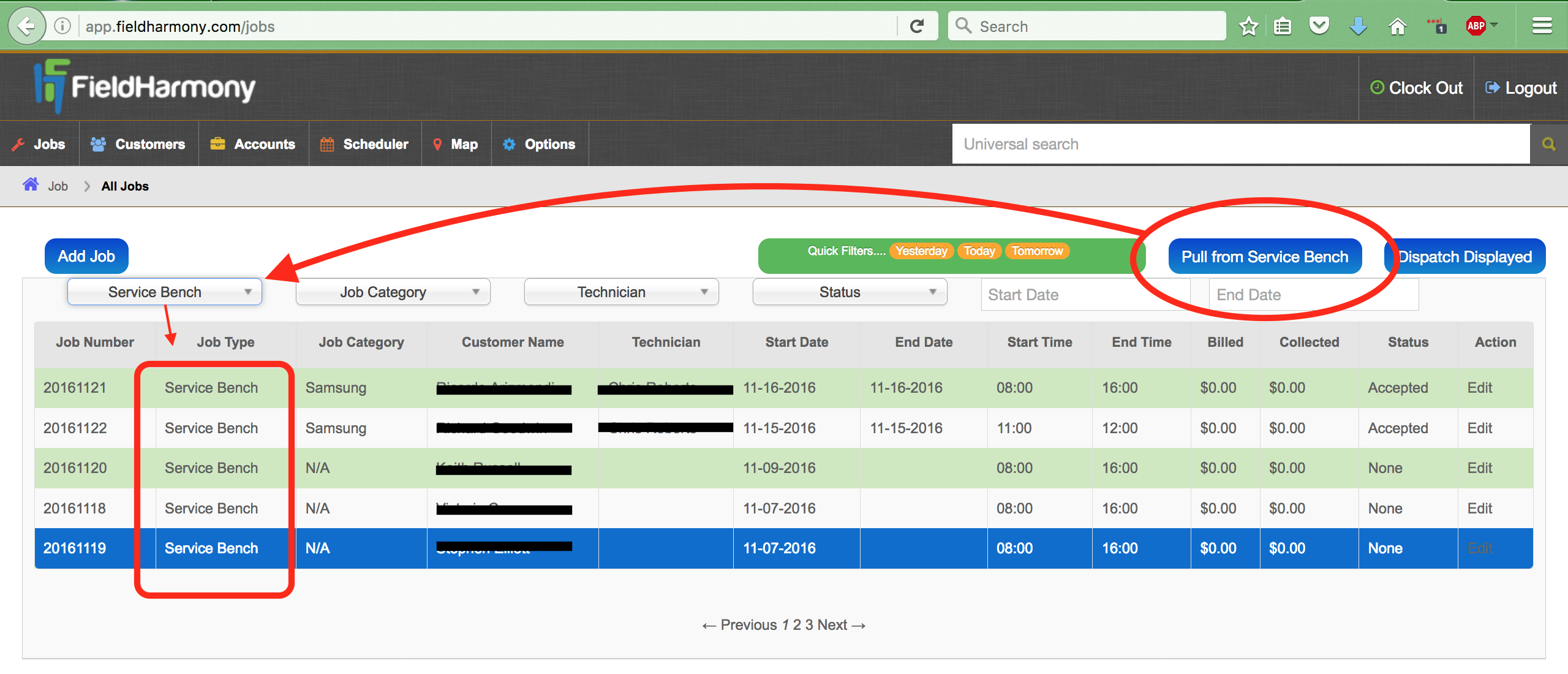
Once this is completed, head back over to the jobs page and click the blue 'Pull from Service Bench' located on the top right of the screen. It can take up to several minutes to pull the jobs in. Filter the jobs page 'Job Type' by the the Service Bench job type you created. Enjoy.
Enjoy :)
0 Comments